

Publisher
CoreBit_StudioPlease Note
This entry is from Thursday December 4, 2025. The price of the asset may have changed since then.Please visit our homepage for recent offers and sales. Official and private Unity Asset Store™ sales usually last about 14 days.
Overview
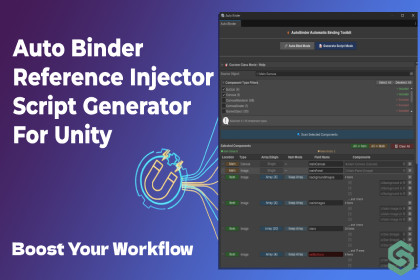
Automation Toolkit — Auto Binder & Script Generator For Unity is a powerful editor extension designed to automate the tedious process of binding Unity components and objects. It works directly in the Unity Editor, letting you quickly assign references based on naming rules and your project hierarchy.
What Automation Toolkit Can Do
Core Features
- Automatic Field Binding: Instantly connect serialized fields in your scripts to matching GameObjects or components in the scene.
- Multiple Naming Rules: Create and manage multiple naming rule configurations to match different coding styles and project conventions.
- Automatic Script Generation: Analyze your GameObject hierarchy and Automation Toolkit will automatically create a complete C# script with all necessary fields. The script is generated according to your naming rules and ready for binding.
- Custom Naming Rules: Define rules for prefixes, suffixes, symbols, and numbers to match fields to objects automatically.
- Safe Mode: Avoid overwriting already assigned references to prevent accidental changes.
- Skip Fields List: Exclude specific fields from auto-binding for finer control.
- Preview Panel: Test your naming rules in real-time before applying them.
- Nested Arrays and Lists Support: Auto-bind arrays or lists of components, including nested serializable classes.
- Binding Summary: Review which fields were successfully bound and which need manual attention.
New Powerful Features
Rule Management System
Create, save, and manage multiple naming rule configurations:
- Different rules for different projects
- Quick switching between rule sets
- Export and import rules for team sharing
Script Generation Mode
Fully automated script creation:
- Select a GameObject in the hierarchy
- Automation Toolkit analyzes all child objects and components
- Automatically generates a C# script with properly named fields
- Fields are automatically serialized and ready for binding
- Supports Button, Image, Text, Transform, and all Unity components
- Works with arrays and lists for complex structures
- Save hours of time writing boilerplate code
Why Choose Automation Toolkit?
Automation Toolkit matches script fields with scene objects using customizable naming rules, ensuring fast and accurate bindings.
✨ Benefits:
- Reduces repetitive manual assignment of components
- Saves time and improves workflow efficiency
- Works with both simple scripts and complex nested structures
- Adapts to your team's coding standards with multiple rule sets
- Completely eliminates the need to manually write binding scripts
- Perfect for UI systems, menus, and complex prefabs
Stop wasting time manually dragging references and writing binding code — let Automation Toolkit handle it for you.
Your Unity workflow just became faster, smarter, and more productive!
Note: SceneDeck is fully compatible with Unity 6 and optimized for it. Compatibility with older Unity versions, like 2021, may be limited.